Bands and tiers
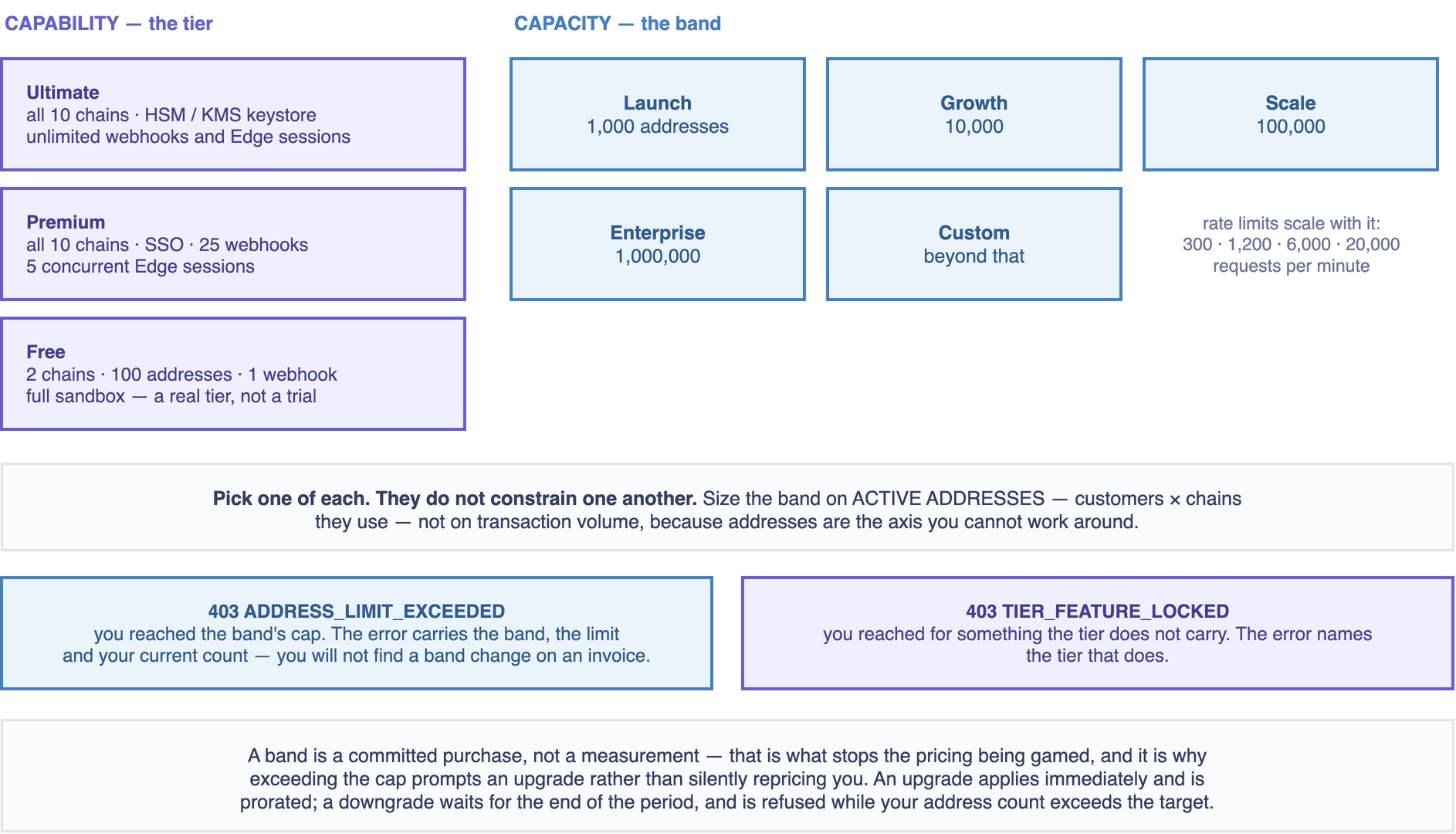
Two axes, and they are independent. A band buys capacity. A tier buys capability.
Confusing them is the usual source of a surprise on an invoice, so: the band is how many addresses and transactions you may have, and the tier is what the platform will do at all.
Capacity bands — SaaS
| Band | Active addresses | Platform fee / mo | Included settled tx | Overage / tx | Blended at full use |
|---|---|---|---|---|---|
| Launch | 1,000 | $99 | 1,000 | $0.08 | $0.099 |
| Growth | 10,000 | $499 | 10,000 | $0.05 | $0.050 |
| Scale | 100,000 | $1,999 | 100,000 | $0.025 | $0.020 |
| Enterprise | 1,000,000 | $6,999 | 750,000 | $0.012 | $0.0093 |
| Custom | > 1,000,000 | negotiated | committed | from $0.006 | — |
Rate limits scale with the band: 300, 1,200, 6,000 and 20,000 requests per minute respectively.
A band is a committed purchase, not a measurement
You buy the band. You are not measured into it.
That is what stops the pricing being gamed. Nobody buys the Enterprise band to obtain the $0.012 rate unless the $6,999 monthly fee is justified by genuine capacity need — the fee is the commitment, and the rate follows from it.
The corollary matters to you: exceeding the address cap prompts an upgrade, it does not silently
reprice you. POST /v1/addresses returns 403 ADDRESS_LIMIT_EXCEEDED with the band, the limit and
your current count in error.details. You will not discover a band change on an invoice.
Picking one
Size on active addresses, not on transaction volume. Addresses are the axis you cannot work around: one per customer per chain, and the count only falls when you archive.
customers × chains they use ≈ active addresses
Remember that ETH, BSC, Polygon, Avalanche and Base share one address — five chains, one address, one count. See Ethereum. A customer using ETH, BSC, Polygon, Avalanche, BTC and TRON needs three addresses, not six.
Then check the included transaction allowance against your expected settled volume. If you expect to run well over it, the next band up is often cheaper than the overage — that is what the blended column is for.
Capability tiers
| Free | Premium | Ultimate | |
|---|---|---|---|
| Chains | 2 | all 10 | all 10 |
| Active addresses | 100 | band | band |
| Settled tx / month | 100 | band | band |
| Sandbox | ✅ | ✅ | ✅ |
| Webhooks | 1 | 25 | unlimited |
| SSO / SAML | — | ✅ | ✅ |
| HSM / KMS keystore | — | — | ✅ |
| Audit log retention | 7 days | 90 days | unlimited + export |
| Concurrent Edge sessions | 1 | 5 | unlimited |
| Support | community | priority, 24 h | dedicated, 4 h SLA |
Free is a real tier, not a trial. Two chains, a hundred addresses, a hundred settled transactions a month, full sandbox. Enough to build and validate an integration properly, and enough to run something genuinely small.
The three rows that usually decide the tier:
- Chains. Free gives you two. If you need Bitcoin and Ethereum and TRON, you need Premium.
- Concurrent Edge sessions. Free permits one, which means no rolling restart without a gap in webhook delivery. Two or more is what High availability needs, so a production deployment that cares about continuous delivery is Premium at minimum.
- HSM / KMS keystore. Ultimate only. If your policy requires key material in certified hardware, the tier is decided for you. See Keystores.
Hitting a tier limit is 403 TIER_FEATURE_LOCKED, with the required tier in error.details.
Changing band
curl -X POST $CLOUD/v1/billing/band \
  -H "Authorization: Bearer $TOKEN" \
  -H "Content-Type: application/json" \
  -d '{ "band": "growth" }'
Console: Billing → Change band.
An upgrade takes effect immediately — the new caps and the new overage rate apply from that moment, and the platform fee is prorated for the remainder of the period.
A downgrade takes effect at the end of the current period, and is refused if your current active address count exceeds the target band's cap. Archive the addresses you no longer need first; the count falls from the next daily snapshot. Read Deposits before archiving in bulk — a deposit arriving at an archived address produces no webhook.
Watching your usage
curl -s $CLOUD/v1/billing/usage -H "Authorization: Bearer $TOKEN"
{
  "period": { "start": "2026-08-01", "end": "2026-08-31" },
  "activeAddresses": { "current": 8421, "billed": 8790, "limit": 10000 },
  "settledTransactions": { "count": 9102, "included": 10000 },
  "overage": { "transactions": 0, "amount": "0.00", "currency": "USD" },
  "projected": { "transactions": 12400, "overageAmount": "120.00" }
}
Two fields to understand.
activeAddresses.billed is the maximum observed during the period, taken from a daily snapshot —
not the count right now. Issuing 500 addresses and archiving them the same week still bills the peak
for that period.
projected extrapolates from the period so far. It is a straight-line projection, so it is
pessimistic early in a month with a busy first week and optimistic in one with a quiet start. Useful as
a signal, not as a forecast.
The console shows the same with progress bars, and warns at 80% of either quota.
Next
- What is billed — and specifically the long list of what is not.